

The Best Final Fantasy Resonance Mods
Final Fantasy Resonance is already considered one of the strongest games of 2026. However, those who want to personalize their experience or get more out of the game may want to look for some of the best Final Fantasy Resonance mods.
From those that make the screen look larger to quality-of-life mods that make the game more convenient, here are some of the best Final Fantasy Resonance mods that you can download right now.
Ultrawide Mod
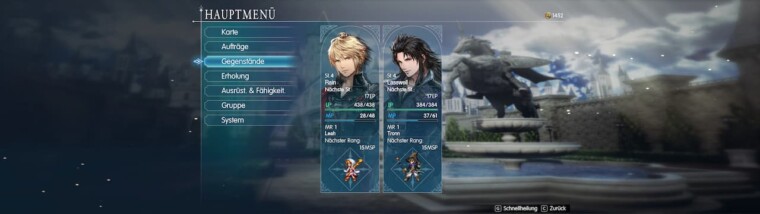
This mod adds true ultrawide support, which increases the horizontal field of view instead of stretching the image. Supported menus can be centered within a 16:9 area, but the Quests page remains full-width. Mouse hit detection can be offset in shifted menus. To toggle the mod, press F1, then reapply your resolution in Graphics.
Final Fantasy Resonance Smooth Sprite
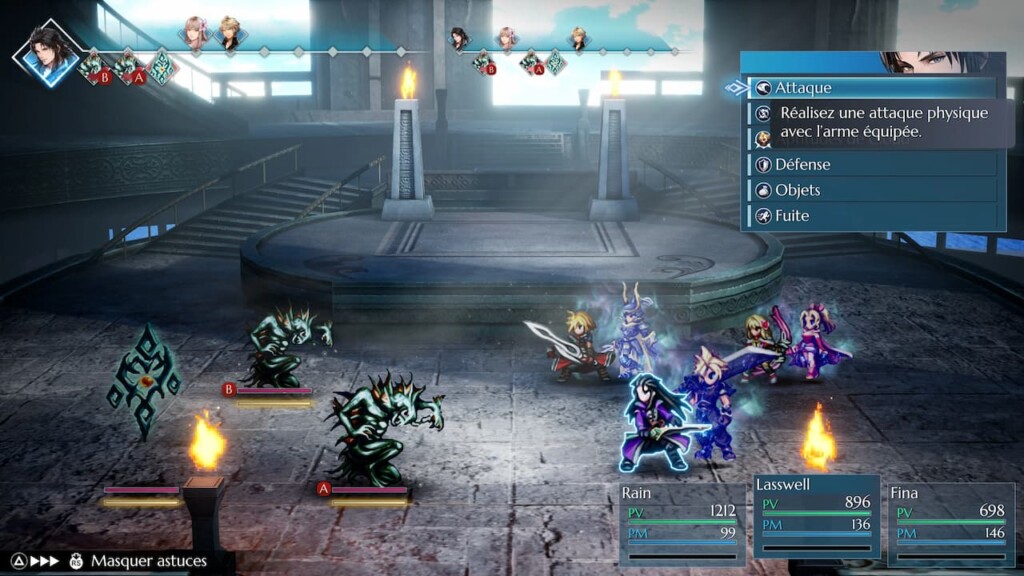
This mod applies a custom x4 smoothing process to the game’s pixelated character sprites. It may appeal to players who prefer smoother-looking sprites against the HD-2D backgrounds. However, those who like crisp pixel art may prefer the original presentation.
ReShade Resonance
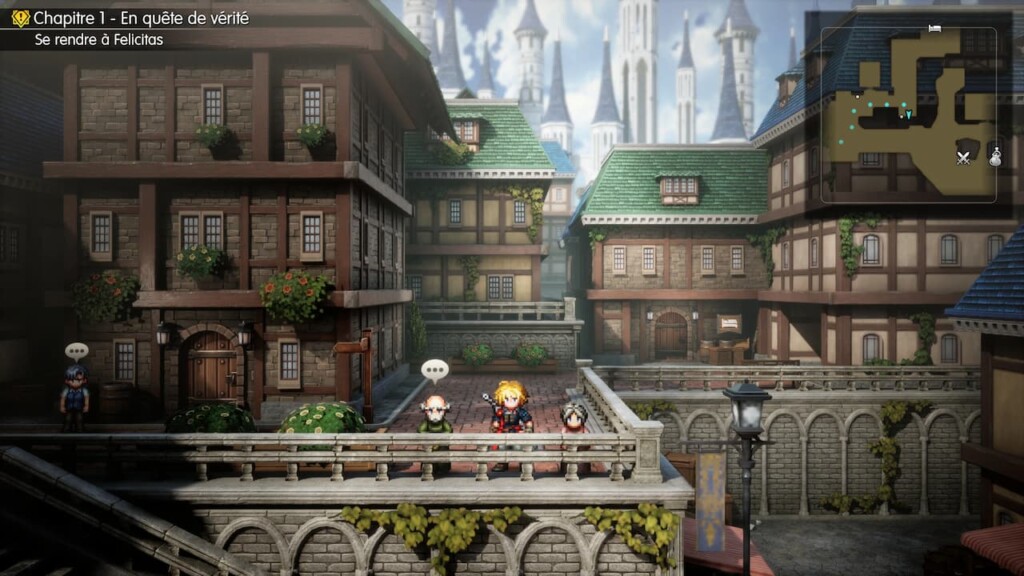
This six-effect ReShade preset sharpens the image, boosts contrast, and tones down the washed-out look in some areas. It adds a touch of warmth too, without dramatically changing the game’s original palette. The Eye Adaptation effect is a nice touch, simulating brightness differences as your eyes adjust in real life. Don’t expect a remaster, though. It polishes the existing look rather than replacing it. The preset is built for SDR displays, and your results will depend on your own setup.
Save Anywhere
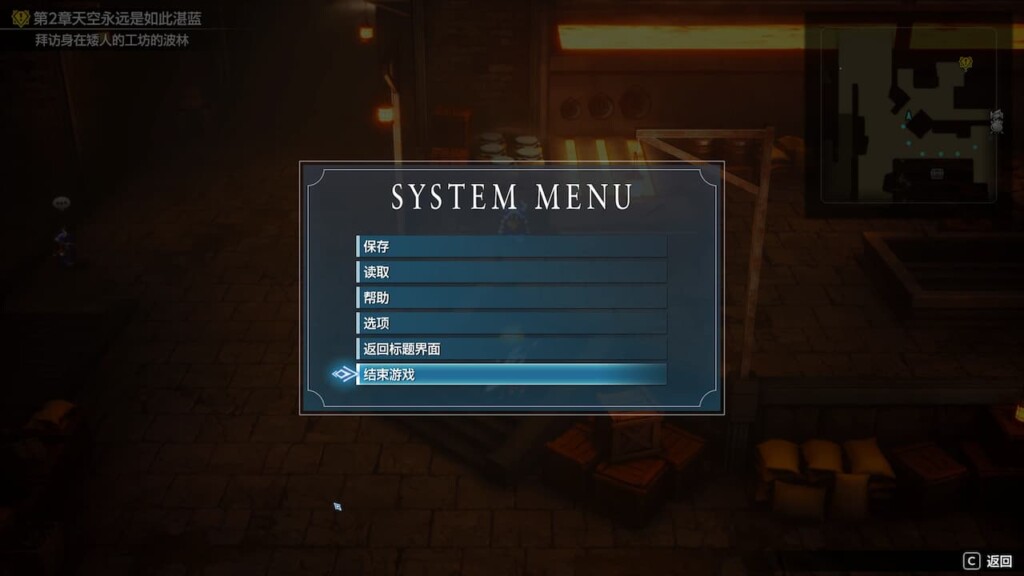
This mod adds a Save option to the Esc menu, allowing you to save in towns and dungeons. This way, players don’t have to rely on the game’s normal field-map saving system. It uses the game’s regular save slots instead of a separate quick-save function. Both PAK and Lua versions are available. Install only one version and back up your saves first.
FFR Bestiary
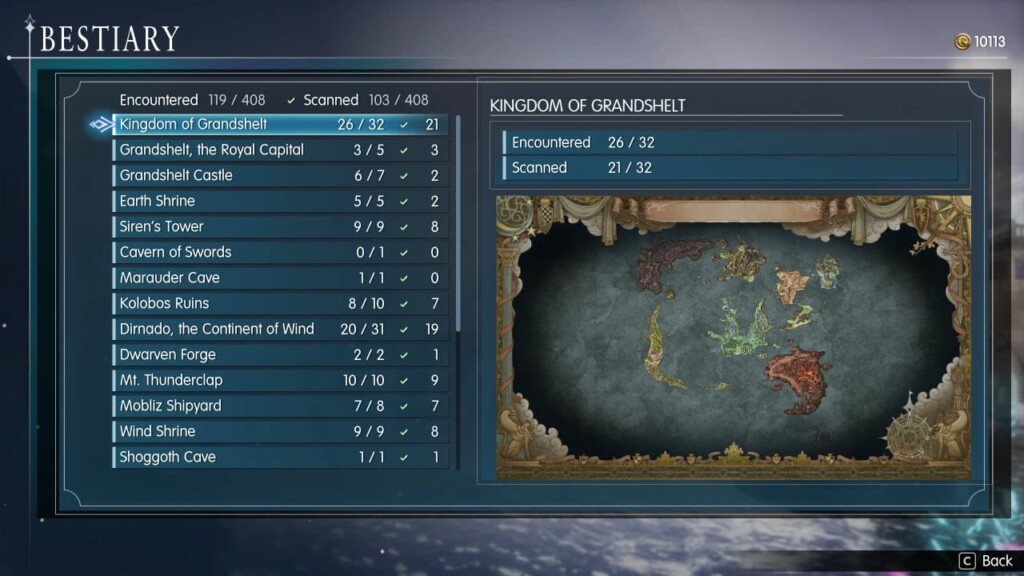
FFR Bestiary adds a Bestiary page to the main menu. Enemies are sorted by area, and it counts how many you’ve met and scanned. Scan one with Libra, and its entry fills in with HP, elemental affinities, resistances, drops, stealable items, and where to find it. It reads your existing save data, so you can install it mid-playthrough. Bestiary progress is stored separately from the game save and is not synced through Steam Cloud.
Item and Chest Markers
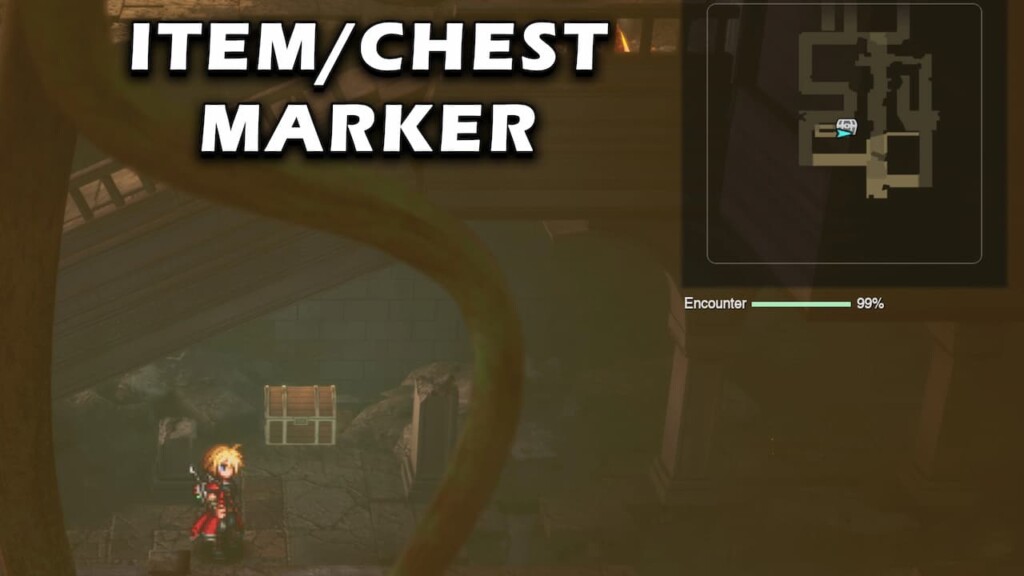
This mod displays markers for items, shiny spots, treasure chests, bosses, and interactable objects throughout individual regions. It also shows these markers on the world map. Collected items and opened chests disappear from the display, making it easier to track missed loot during completion runs. The mod reads your save data to update its markers. Because of that, the display can take one to three seconds to refresh after opening the map or entering a new area.
It requires UE4SS and separate PAK, UCAS, and UTOC files, so follow the author’s installation instructions carefully.
Battle Pace
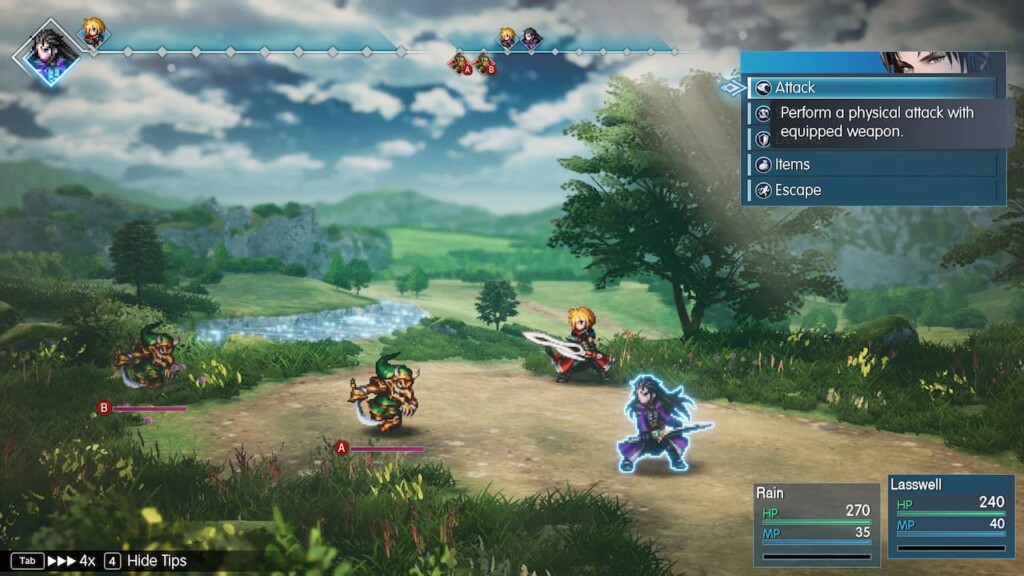
This Final Fantasy Resonance mod extends the game’s battle-speed control to four settings: 1x, 1.5x, 2x, and 4x. Press Tab during battle to cycle through them. The current speed is displayed next to the game’s speed arrows. It uses the game’s own speed system without cheats or balance changes. It also remembers your chosen speed between encounters and restores it after battle transitions.